Help Topics

How to apply for Fibre Packages

Here’s a quick breakdown of the fibre installation process with Wi Netix:

Step 1: Complete our order form with your fibre package. Make sure you include your installation address. Note that we will check coverage to see if fibre is available in your area.
Step 2: Our team will get in-touch with you and confirm your fibre selection and order form details for inspection / installation.
Step 3: Once order confirmed, we place your order with the Fibre Network Operator (FNO), we will schedule the delivery of your router and installation.
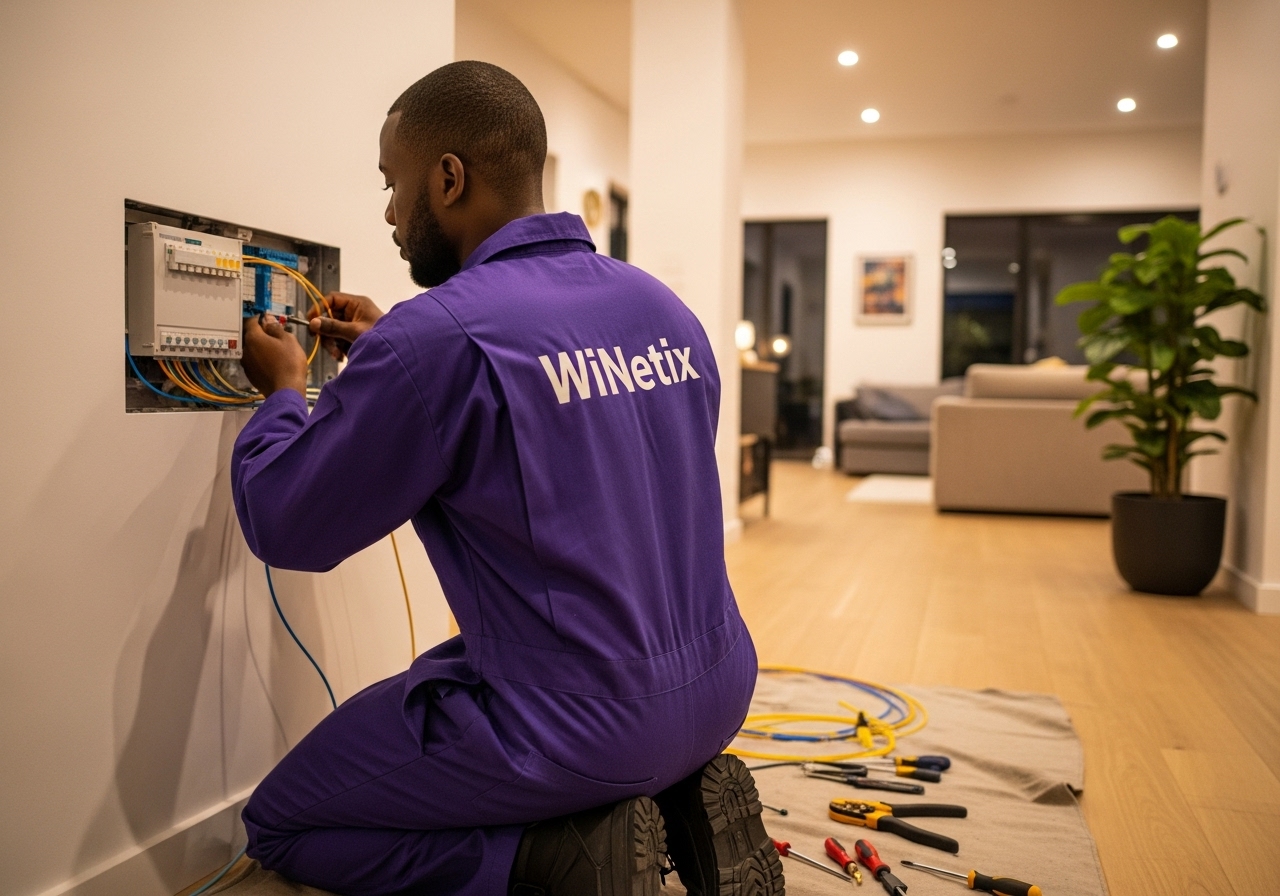
Step 4: The FNO for your chosen package will handle running the fibre line to your home and setting up an ONT. If an ONT already exists, this step can be skipped.
Step 5: Activation: The FNO activates the fibre line and begins billing Supersonic.
Step 6: We activate your service and start billing you. We’ll notify you when your service is ready to use.

We will keep you updated via Email and SMS on progress your order.
1. Provide Complete and Accurate Address Details: Double-check that all address components are correct, including complex or estate name, unit number, street name, and suburb. This ensures smooth processing.
2. Specify Your Residence Type: Clearly indicate if you’re in the main house or a separate unit on the property to avoid confusion.
3. Cancel Current ISP Service: If you’re still with another provider, cancel your service and include your cancellation letter along with the cancellation date in your application. This helps avoid delays associated with line releases.
1. Existing Fibre Infrastructure: Line Active with Another ISP: If the line is still connected to a different provider, a release process is required, which can take up to a month.
2. Incomplete or Incorrect Address: Providing an inaccurate or incomplete address may lead to delays in verifying coverage and scheduling installation.
3. Building/Complex Not Live: If your building or complex isn’t yet part of the existing fibre coverage, this may be due to low demand or pending approvals for installation plans.
If your FNO/package is with Evotel, Zoom, Vuma Reach, or Openserve Webconnect, no additional router is required as the setup relies on the ONT (Optical Network Terminal) for connectivity. The ONT handles the connection between the fibre line and your internal network, providing basic internet access. For other packages, a separate router will be sent to enhance your Wi-Fi coverage and manage multiple devices within your home.

Guide to Fibre Internet Speeds

10 Mbps – 20 Mbps (Entry-Level Fibre)


Ideal for: Basic home use and light connectivity.

  • Browsing the web, checking emails, and using social media.

  • Streaming in standard definition (SD) on one or two devices.

  • Light work-from-home activities like video calls or file sharing.

  • Suitable for small households (1–2 people) with limited device use.


Perfect for individuals or small families who need a stable and affordable connection for everyday tasks.

25 Mbps – 50 Mbps (Mid-Range Fibre)

Ideal for: Moderate home users or small offices.

  • HD streaming on multiple devices simultaneously.

  • Video conferencing and online collaboration tools.

  • Light online gaming and remote work.

  • Handling smart home devices like cameras, lights, and TVs.


Best suited for families or small teams that need consistent performance without slowdowns.

100 Mbps – 200 Mbps (High-Speed Fibre)

Ideal for: Large households and small to medium-sized businesses.

  • Multiple users streaming in HD or 4K quality.

  • Fast downloads, cloud storage, and online backups.

  • Smooth online gaming and lag-free video calls.

  • Efficient handling of multiple smart devices or office systems.


Perfect for busy homes, offices, and remote workers who rely on fast, stable connectivity.

500 Mbps – 1 Gbps (Ultra-High-Speed Fibre)

Ideal for: Heavy users, creative professionals, and growing businesses.

  • 4K and 8K streaming across multiple devices.

  • Large file transfers, cloud computing, and server hosting.

  • Multiple simultaneous video conferences and smart devices.

  • Business operations requiring constant, high-capacity internet (e.g., design, IT, media).


Recommended for power users or offices that demand top-tier performance and reliability.

1 Gbps – 10 Gbps (Enterprise and Dedicated Fibre)


Ideal for: Large enterprises, data centers, and mission-critical applications.

  • Corporate networks, call centers, and high-traffic websites.

  • Advanced cloud computing, big data processing, and virtual servers.

  • 24/7 connectivity with guaranteed uptime and dedicated bandwidth.

  • Seamless support for hundreds of simultaneous connections.


Tailored for businesses that depend on uninterrupted, high-capacity data flow and reliability.

Ready to experience faster, more reliable fibre internet?

Our team is here to help you find the right package for your home or business.
Click to get started